 playsheet
Loading is taking longer than expected.
playsheet
Loading is taking longer than expected.
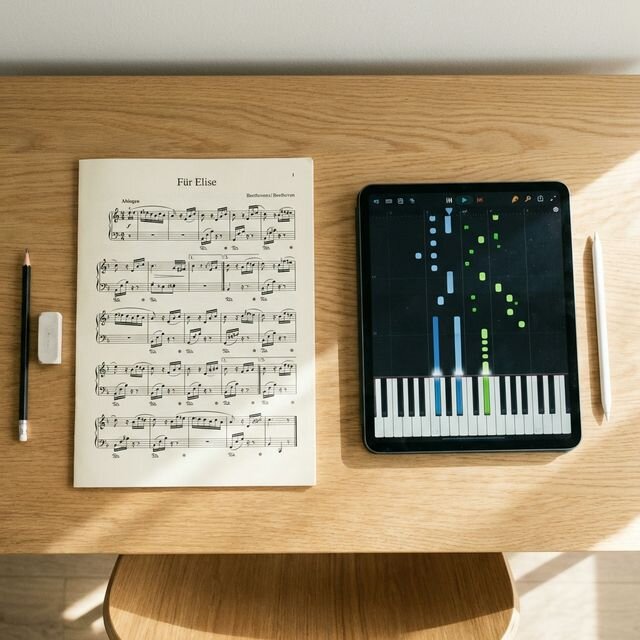
There are plenty of ways to get yourself back to the keyboard. Some apps teach a course; others help you practice music you already have. Start with the job you want the app to do.
This comparison comes from the developer of Playsheet, so we have a favorite. The descriptions below summarize the linked official product pages, checked on October 6, 2026. They are not a controlled test of learning outcomes.
| App / official site | Practice style | Access | What to expect |
|---|---|---|---|
| Playsheet | Sheet music practice | Free | Bring MusicXML, MIDI, ABC, or MuseScore files and practice with MIDI feedback, loops, and optional reading aids. Audio transcription and Alpha PDF recognition need careful checking. |
| Piano Marvel | Notation, lessons, and sight-reading tests | Check plans | Combines a music library and video lessons with a wait-for-notes practice mode, performance feedback, and SASR sight-reading assessments. |
| Simply Piano | Guided lessons and songs | Check plans | Offers step-by-step courses, warmups, songs, and immediate note feedback. Try a lesson on your own device to see whether the pacing suits you. |
| flowkey | Video with sheet music | Check plans | Shows a pianist alongside the score. Includes wait mode, slow playback, looping, hand selection, songs, and courses. |
| Skoove | Moving score and guided lessons | Free lessons; Premium plans | Offers short progressive lessons, video tutorials, backing tracks, and feedback on played notes. |
| Synthesia | Falling notes with optional notation | Free trial; paid unlock | Practices MIDI and MusicXML files with waiting, separate hands, finger-number hints, and progress tracking. Its site notes that some MusicXML notation detail is not used in the displayed score. |
| Playground Sessions | Interactive notation and video lessons | Check membership plans | Combines guided lessons and songs with looping, tempo controls, backing tracks, and feedback on note accuracy and timing. |
| Sightread | Score, sheet hero, and piano roll | Check current availability | Offers a built-in library plus MusicXML, ABC, LilyPond, and MIDI imports. Its current site describes hand practice, wait mode, loops, and tempo controls. |
| PianoBooster | Scrolling notation | Free and open source | A desktop program for MIDI files, with a following accompaniment, separate-hand practice, tempo changes, transposition, and timing feedback. |
Prices, promotions, included songs, and device support change. Follow the official links to check your region’s current offer, renewal price, cancellation terms, and keyboard compatibility before paying.
You may also want to explore Yousician and PianoML. Check their current piano features directly; we have not confirmed enough detail to compare them here.
Playsheet grew out of a familiar problem: knowing that practice would help, then finding a reason to do something else. Feedback and small goals can make it easier to show up. A score or streak, however, only measures part of your playing.
Listen to your tone, phrasing, and balance between the hands. A teacher can give individual feedback on technique and musical choices that automatic note detection misses. Combine the app with lessons, a method book, or other resources that fit your goals and budget.
In Playsheet, start with the aids that help you:
As a passage becomes comfortable, try reducing one aid at a time. Play some easy unfamiliar music too, so you can tell whether your reading transfers beyond a memorized piece.